A purpose for every shot.
Write the visible action, caption and audio note together. Start with a product mood, event invitation or process story, then make it your own.
Production Desk / an offline planning kit
Give every shot a job. Map the timing, keep the facts close and hand over a short-video brief that makes sense.
₹599 INR · one-time purchase
Works offline · no login or model credits required
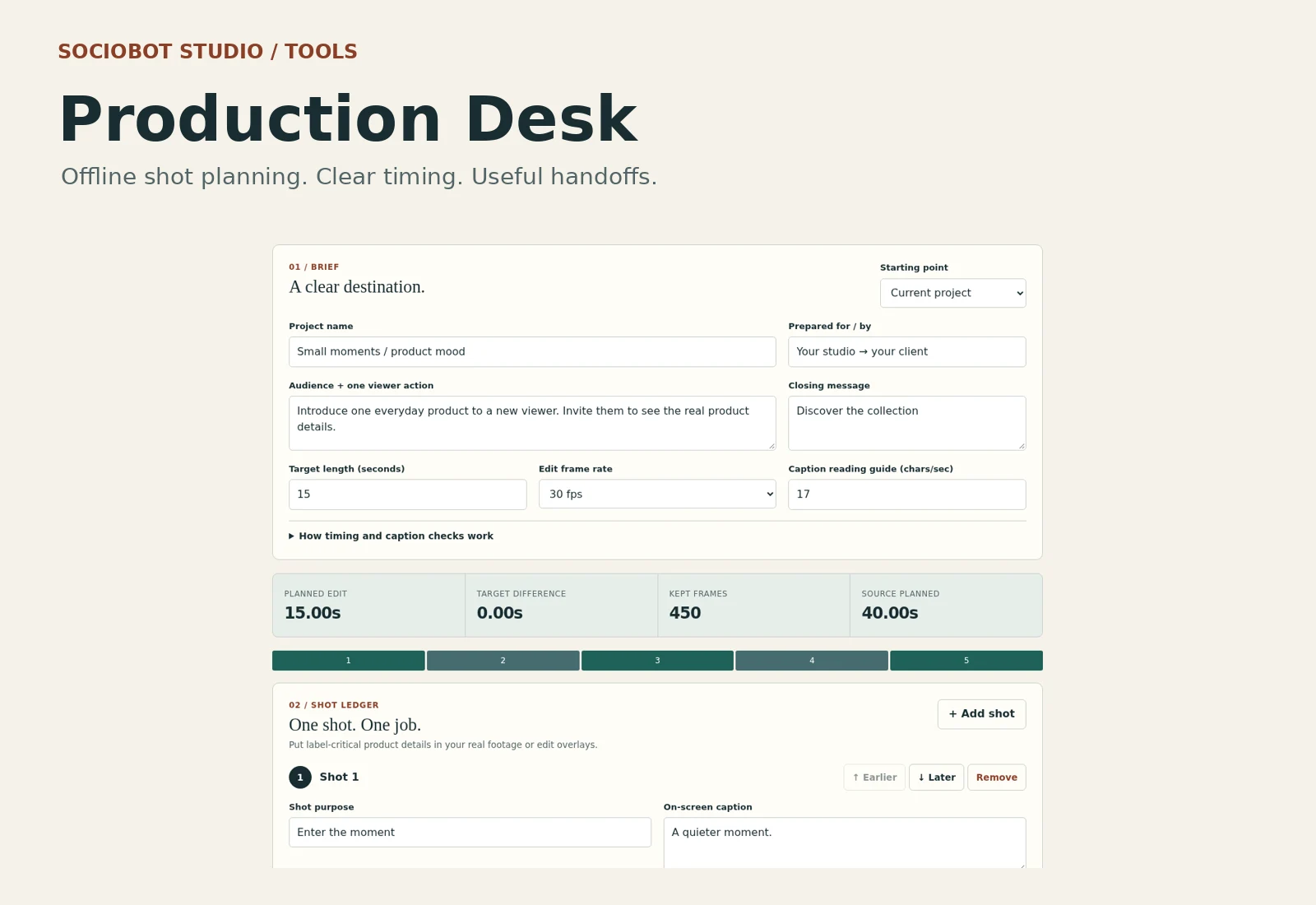
01 / A small tool with a clear job
For independent creators, small studios and people who need to explain an edit before anyone starts cutting.
Write the visible action, caption and audio note together. Start with a product mood, event invitation or process story, then make it your own.
See edit in/out frames, total duration and whether the kept cut fits the source length you entered. Fractional-frame values get a planning flag.
Keep product facts, asset rights and delivery notes in the brief. Export editable project data, a shot spreadsheet or a clean printable handoff.
02 / Open the desk
These are screenshots of the included tool and its printable output. The full offline app is in the paid kit.
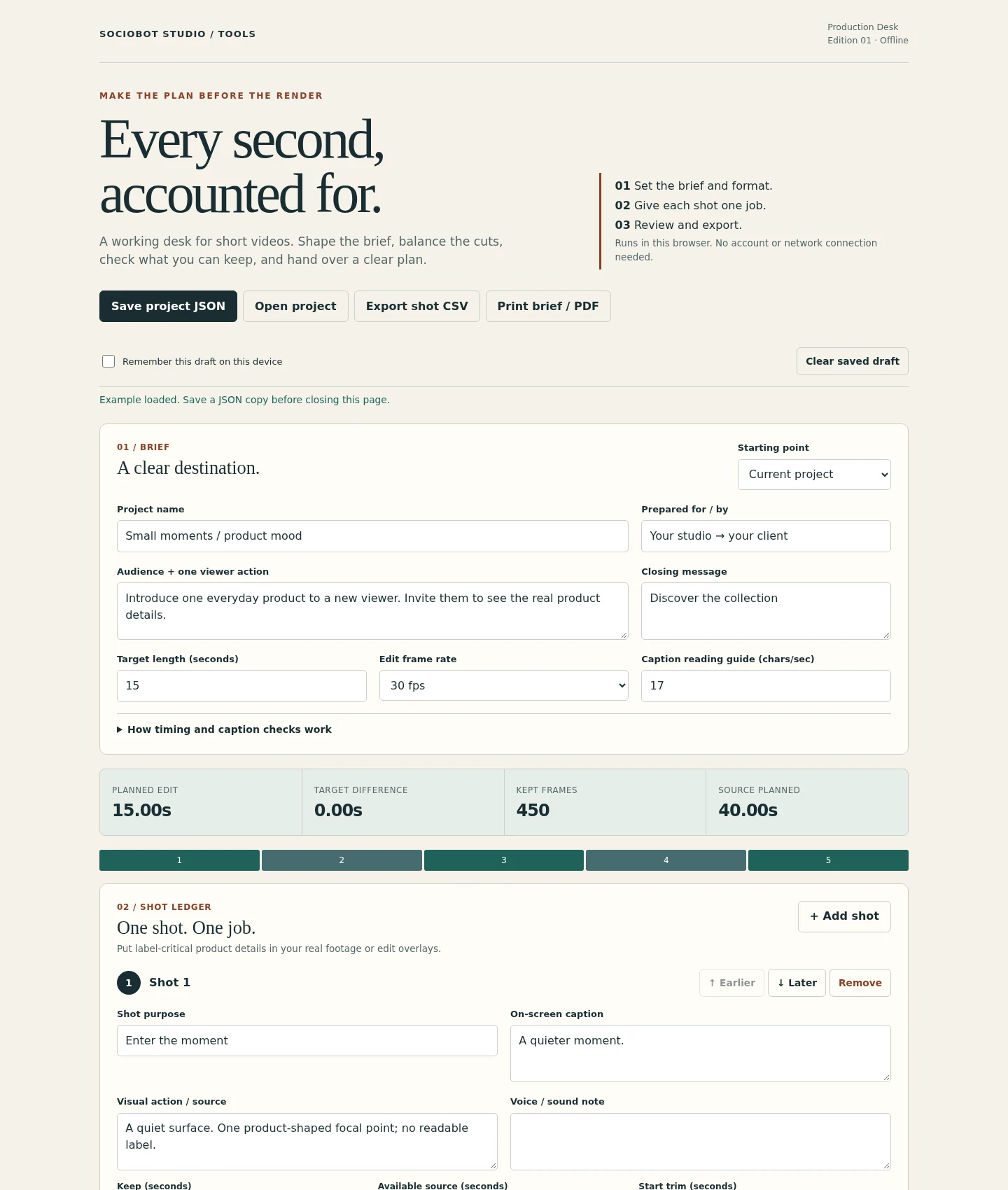
A 15-second product mood example. Source lengths, cut durations and shot notes are entered by you.
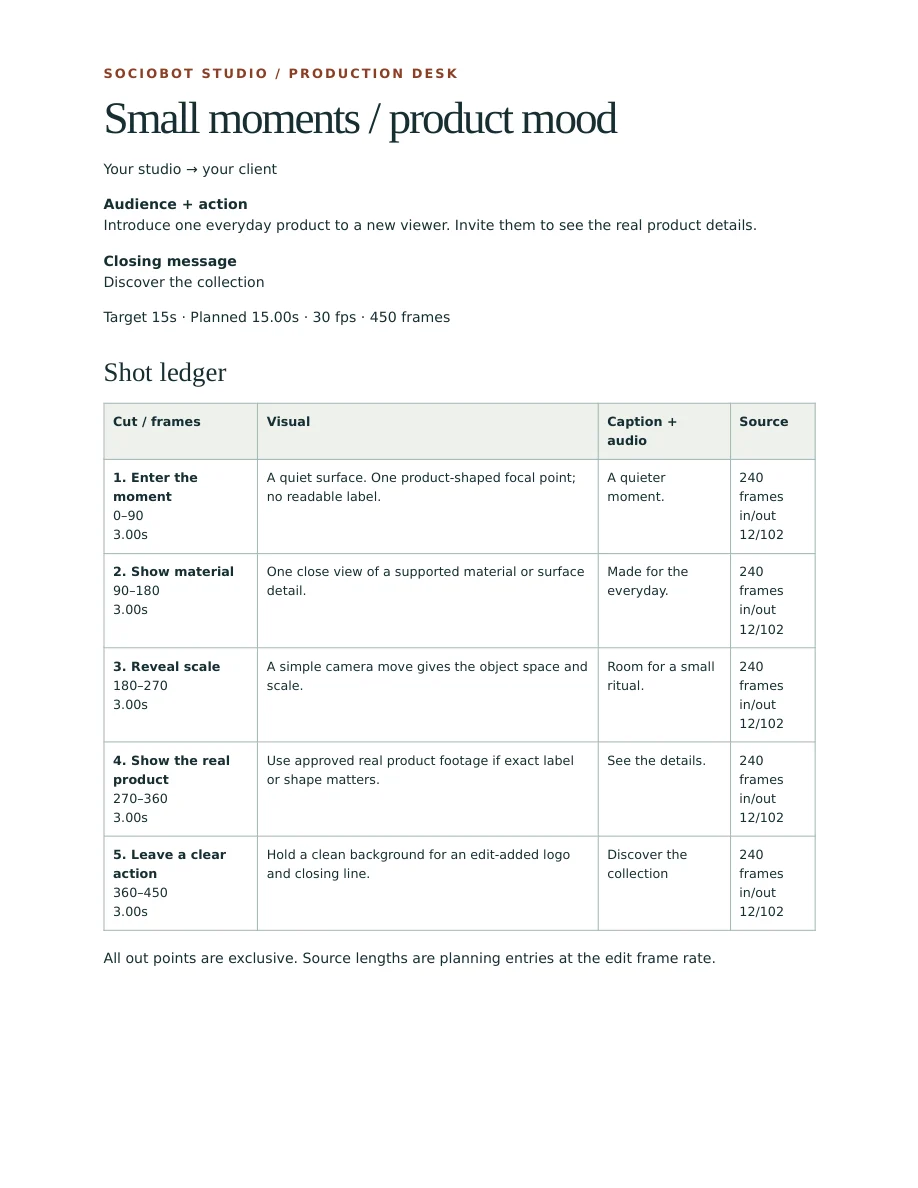
A handoff you can read
Print the current plan or save it as a PDF through your browser. Send the result to an editor or keep it beside your timeline.
Read the one-page quickstart ↗An example output, not a client project. The public PDF is a one-page guide excerpt.
Room for a smaller screen
The layout adapts to narrow screens. Local HTML opening, downloads and printing depend on the device, so we recommend a modern desktop browser for the full workflow.
Tested in Chromium at 320, 390, 768 and 1440 CSS pixels. This is a screenshot of the narrow layout.
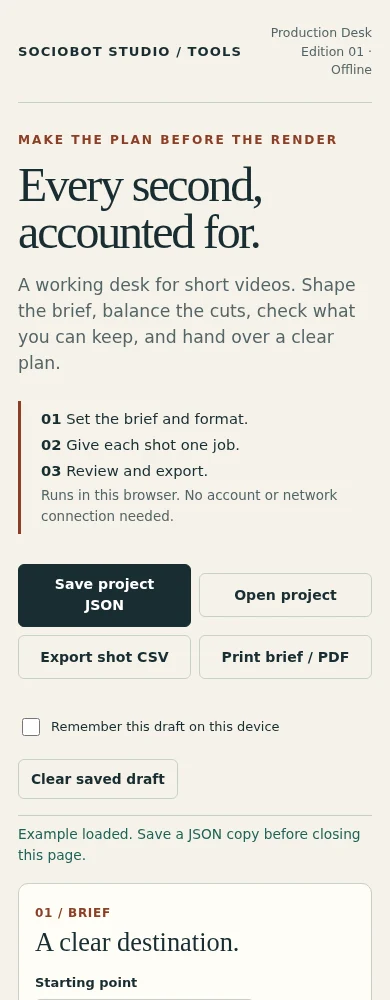
No app installation, account or online workspace is required.
03 / From idea to handoff
One HTML file contains the app. Unzip your download, open it in a desktop browser and start with the example that fits.
Choose the audience, viewer action, target length and edit frame rate. Give the film one clear job.
Add up to 30 shots. Plan visible action, captions, voice notes, source lengths and trim points. Review the timing and caption flags.
Save JSON to reopen your project, export CSV for a spreadsheet, or print a brief. Optional browser storage can remember a draft on your device.
04 / The complete kit
A compact toolkit you can use across your own projects and client work. Buy once, keep your files.
The kit plans your edit. Video editing, media inspection, generated footage, music and model credits are separate.
05 / Before you choose
No. Production Desk is a planning tool. It calculates timings from the values you enter and organises the brief. It does not inspect media, trim actual clips, align voice or render a finished video.
The included HTML app runs locally in your browser without a login, subscription, external libraries or AI API. Your open plan stays in memory by default. Save JSON before closing; optional “Remember this draft” uses browser storage on that device. Shared computers need the same care as any local project files.
Choose 24, 25, 30, 50 or 60 fps. Fractional rates such as 29.97 are outside this kit’s scope. Out points are exclusive and source frames assume the chosen edit rate; conform mixed-rate media in your editor first. The default 17 caption characters per second and 38-character line flag are editable planning guides, not readability or accessibility guarantees.
Use a modern desktop browser. The app was tested in Chromium; other browsers have not been independently verified. Narrow layouts have been checked, but phone file opening, downloads and printing depend on the device. A desktop browser is the recommended workflow.
Yes. One buyer or business may use and adapt its copy for unlimited internal and client projects, and share the briefs, worksheets and JSON/CSV outputs it creates. You may modify the app for internal use. You may not resell, sublicense, publish or redistribute the app or kit as a standalone product, modified or unmodified.
Yes. The playbook teaches a production workflow and supplies hook and prompt templates. Production Desk is a separate interactive planning tool with timing calculations and exports. It works with plans for filmed, animated or AI-generated videos; it does not require Sora.
The kit is delivered by private download within 24 hours after verified Razorpay payment, under the sale and delivery terms. For product help, a delivery issue or a refund request, email hello@sociobot.in. The seller reviews refund requests and applicable consumer rights remain unaffected.
This independent Sociobot Studio kit was built using AI-assisted coding and checked through browser, export and print tests. The examples are illustrative, with no measured sales or performance claim. You remain responsible for facts, media rights and review of the finished video.